Notice to user
Online documentation
Our manuals are continuously updated and published online.
To access the FLIR T8xx series user manual and other product documentation, go to http://support.flir.com/resources/vj2p.
|
|
To access the manuals for our other products, as well as manuals for our discontinued products, go to https://support.flir.com/resources/app.
Register your camera
Register your camera to receive an extended warranty and other related benefits.
To register the camera, go to http://support.flir.com/camreg.
To access the registration form, you must log in to your FLIR account or sign up for a new account.
You will also need the serial number of your camera. The serial number is displayed by the registration wizard in the camera.
To start the registration wizard, turn on the camera and select Settings > Device settings > Camera information > Register camera.
To complete the registration, you must enter a verification code into the camera. The code is available in your FLIR account, under My Products.
Accuracy
For very accurate results, we recommend that you wait 5 minutes after you have started the camera before measuring a temperature.
Calibration
We recommend that you send in the camera for calibration once a year. Contact your local sales office for instructions on where to send the camera.
Training
For training resources and courses, go to https://www.flir.com/support-center/training.
Important note about this manual
FLIR Systems issues generic manuals that cover several cameras within a model line.
This means that this manual may contain descriptions and explanations that do not apply to your particular camera model.
Note about authoritative versions
The authoritative version of this publication is English. In the event of divergences due to translation errors, the English text has precedence. Any late changes are first implemented in English.
Disposal of electronic waste
Electrical and electronic equipment (EEE) contains materials, components and substances that may be hazardous and present a risk to human health and the environment when waste electrical and electronic equipment (WEEE) is not handled correctly.
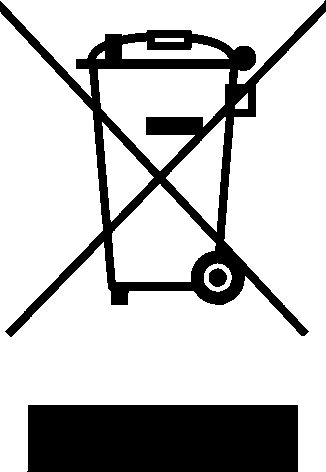
Equipment marked with the below crossed-out wheeled bin is electrical and electronic equipment. The crossed-out wheeled bin symbol indicates that waste electrical and electronic equipment should not be discarded together with unseparated household waste, but must be collected separately.
For this purpose all local authorities have established collection schemes under which residents can dispose waste electrical and electronic equipment at a recycling centre or other collection points, or WEEE will be collected directly from households. More detailed information is available from the technical administration of the relevant local authority.