Camera parts
View from the front
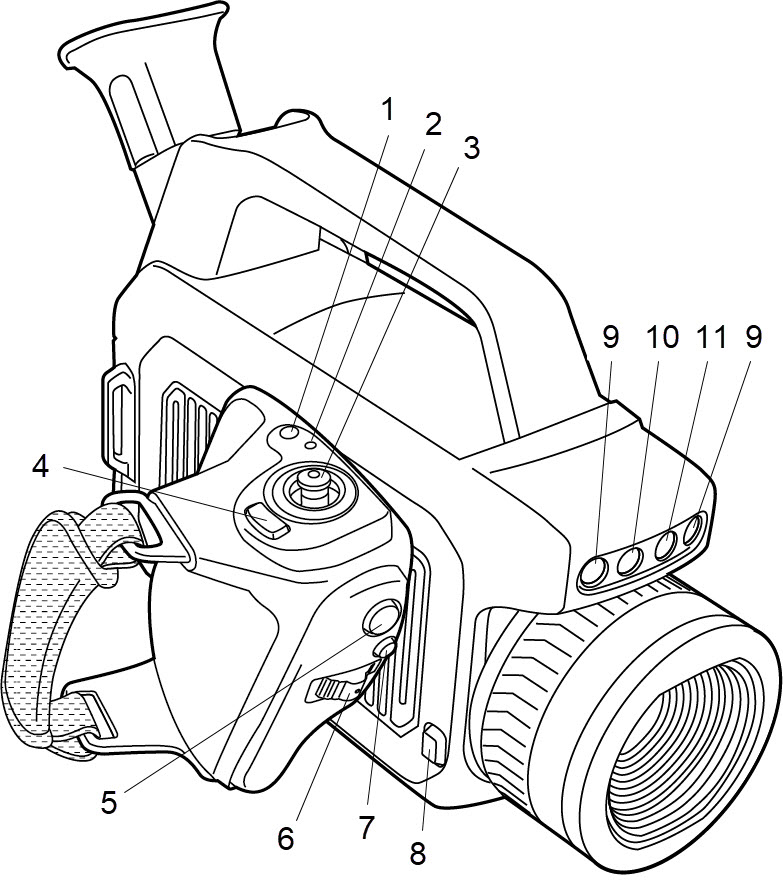
On/Off button
Power indicator
Joystick
Back button
Record button
Focus/Zoom button
FLIR Gx models: Zoom button
Programmable button
Lens release button
Camera lamps
Digital camera
Laser pointer
View from the rear
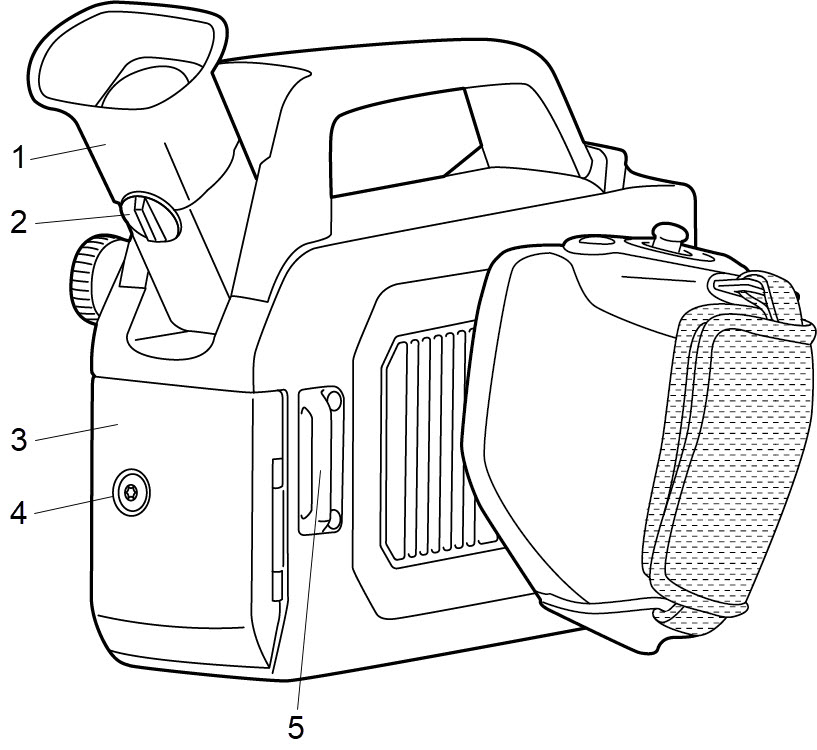
Viewfinder
Diopter adjustment knob
Cover for the connector and battery compartment
Locking screw (Torx T20)
Attachment point for the neck strap
View from the left
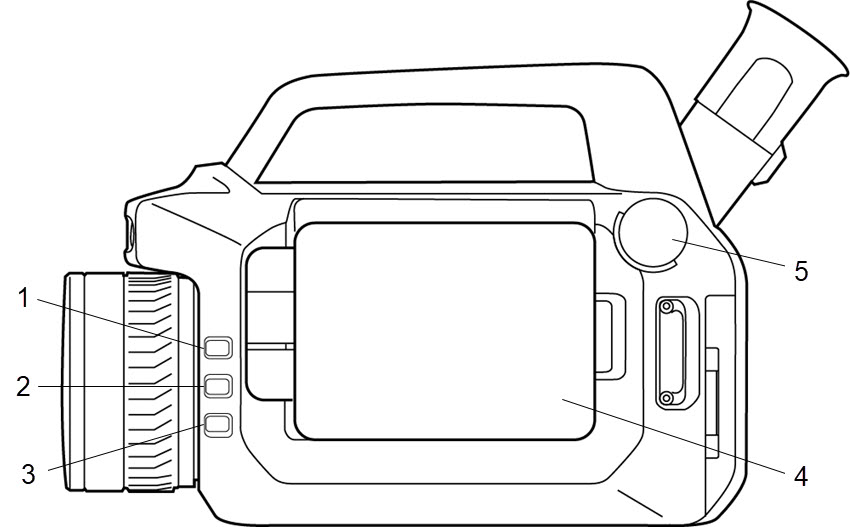
Laser button
Programmable button
Temperature range button
Display
Mode wheel
Connector and battery compartment
You can connect the following external devices to the camera:
A computer, connected using a USB cable, for file transfer and video streaming.
A video monitor or projector, connected using an HDMI cable.
An SD memory card.
Power supply, to charge the battery.
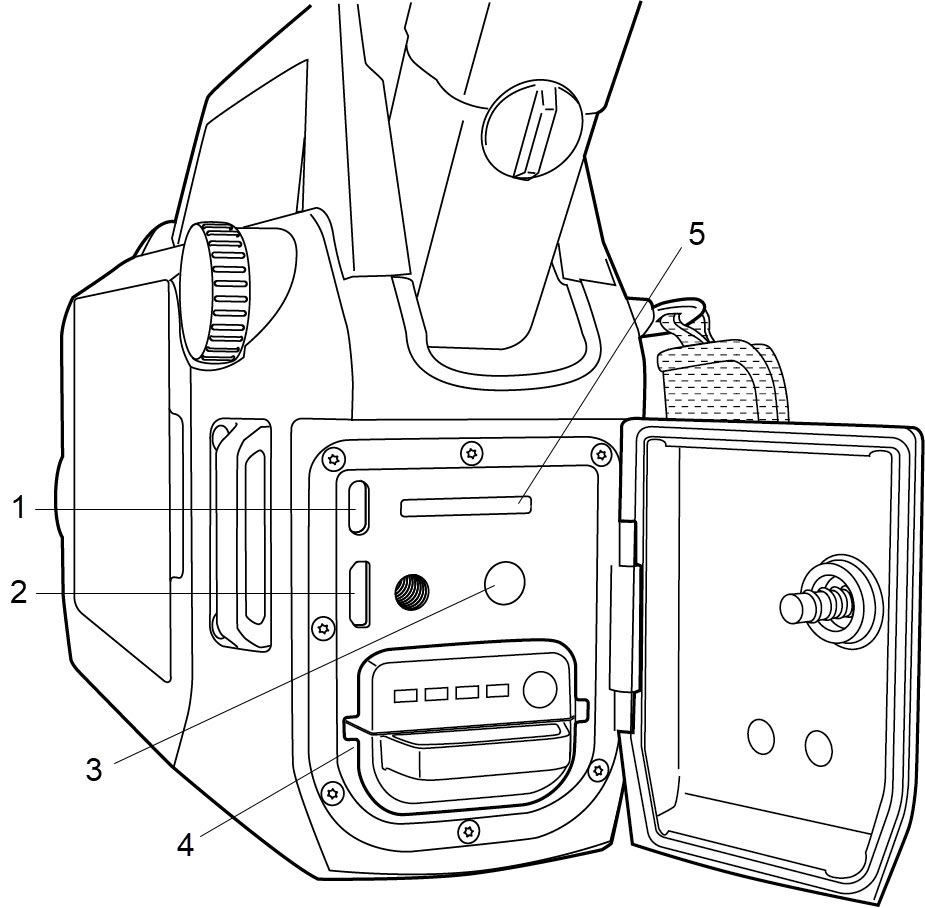
USB port
HDMI port
Power connector
Battery
Memory card slot
Serial number
The serial number is available at the inside of the cover for the connector and battery compartment.
The serial number is also available in the camera settings. Select Settings > Device settings > Camera information.
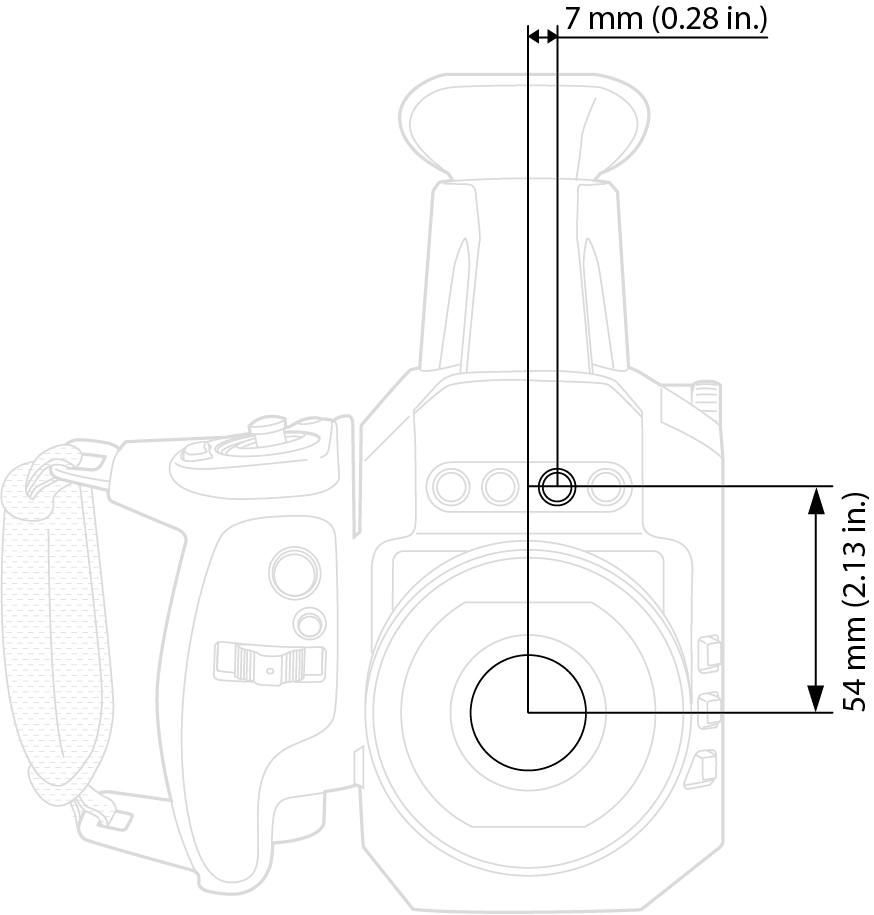
Laser pointer
This figure shows the difference in position between the laser pointer and the optical center of the lens. The laser pointer and the optical axis are parallel.