Camera parts
View from the front
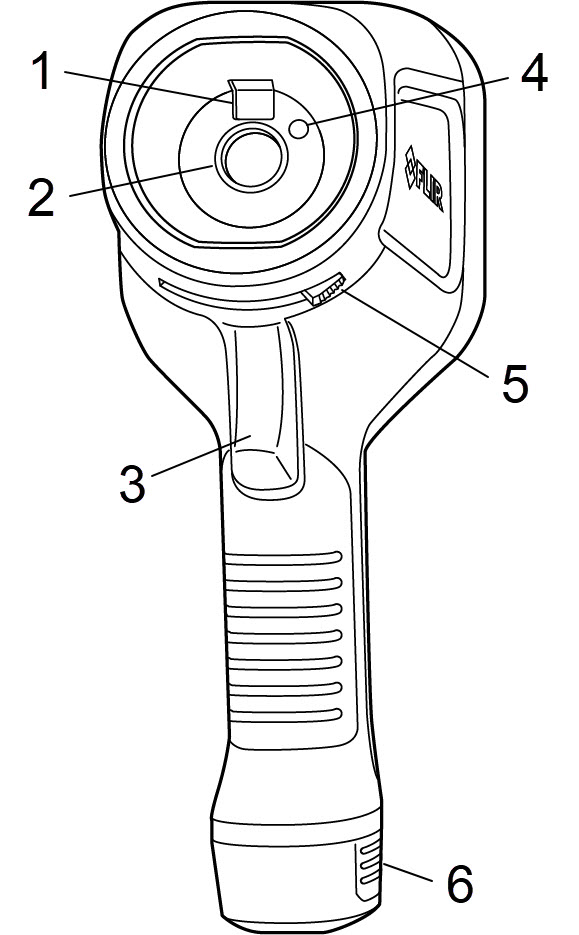
Digital camera
Infrared lens
Trigger to save an image
Camera lamp
Lever to open and close the lens cap
Battery
View from the rear
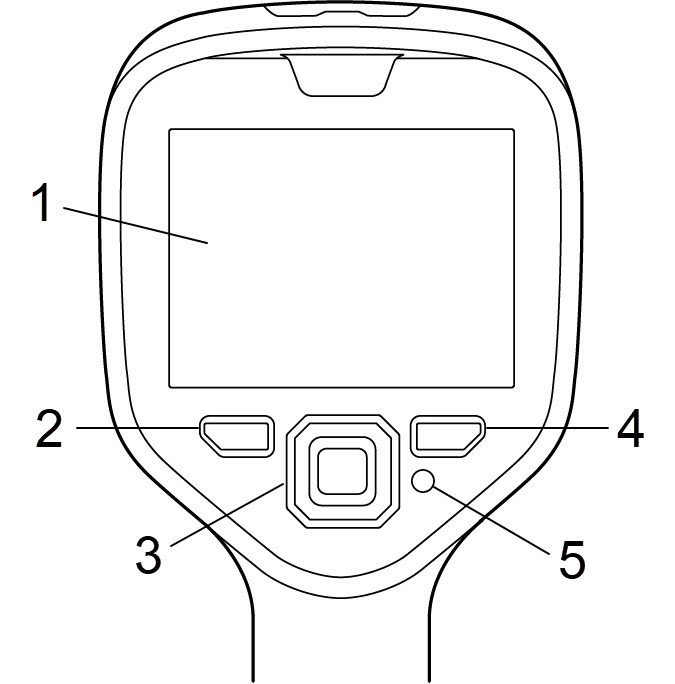
Touch screen
Archive button
Navigation pad
Back button
On/Off button
Connector compartment
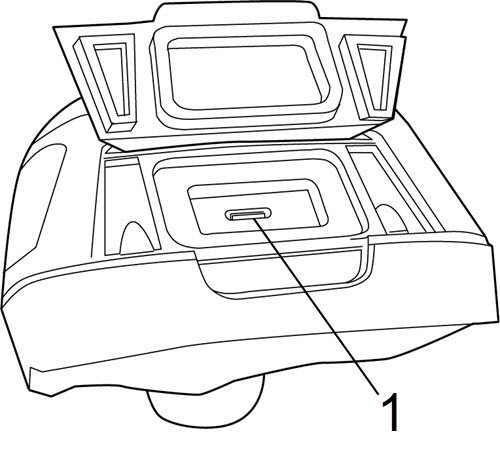
USB port
Serial number
A label with the serial number is visible when the battery is removed.
The serial number is available in the camera settings. Select Settings > Device settings > Camera information.