Create a report
Go to Inspections.
Select which inspection to make a report of.
Select CREATE REPORT in the upper right corner.
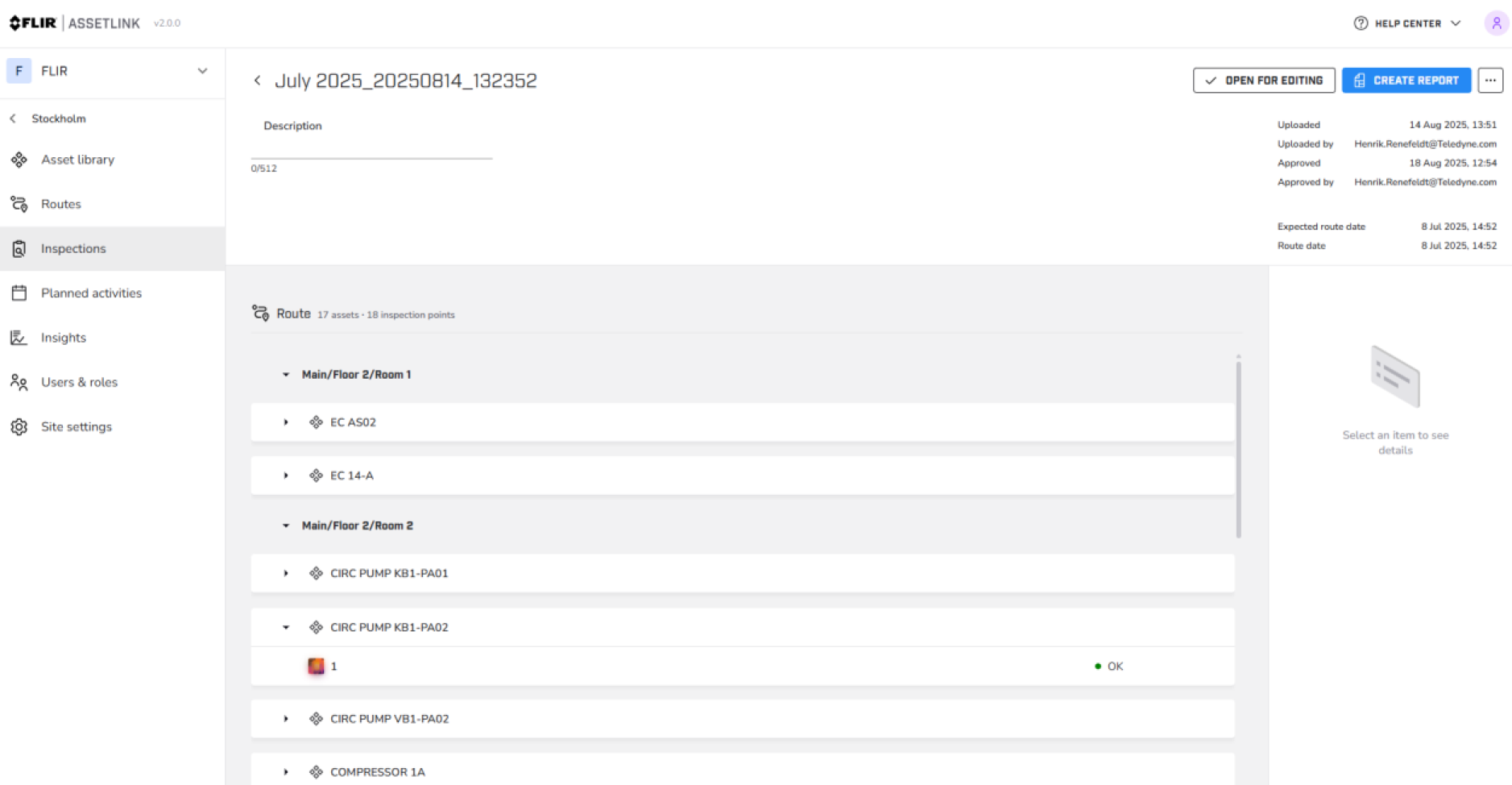
Figure 1.
Name the inspection and include inspection points based on status.
Click CREATE REPORT.
Save the report, the report is stored on the local device.
Locally stored reports can be opened in Report editor from the tools section found in the header of Flir Assetlink.
Click on the tools section in the header of Assetlink and open Report editor to open locally stored reports.