Asset condition
Get an overview of the assets with Asset condition.
During an ongoing inspection, it is possible to set an inspection status for each inspection point in the camera. The inspection status of the asset's inspection points will be used in Flir Assetlink to calculate the condition. The status can be reviewed and updated when uploaded to Flir Assetlink which gives the user a good overview of the current status of the inspection points and which asset needs the most attention. For this to happen, the inspection must be updated with Approve, see Approve inspection.
The calculated condition is shown in the Asset record located in the Asset Library and in Insights.
From inspection status to asset condition
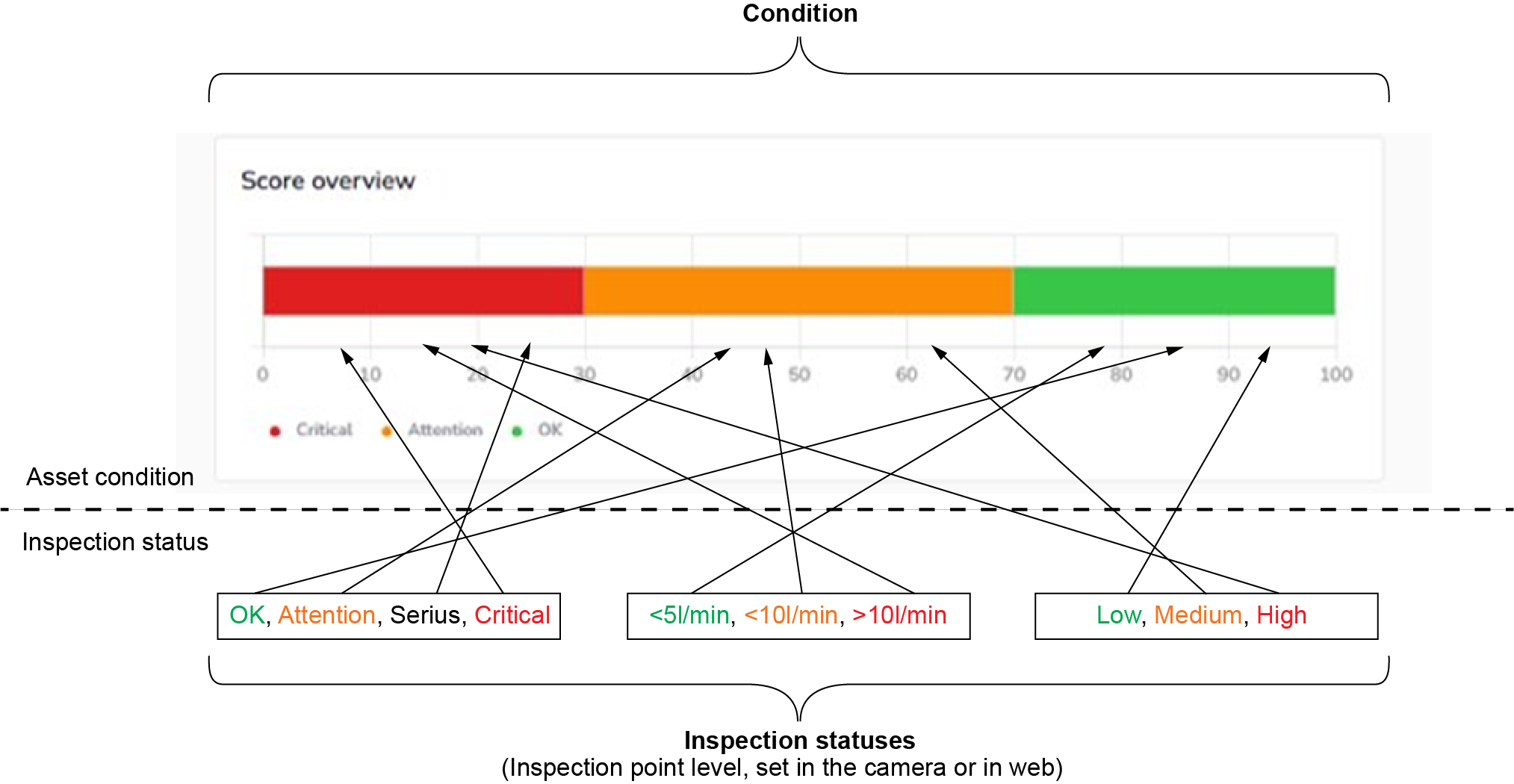
Figure 1.
When an asset is inspected and an inspection status is set in the camera by the user performing the inspection, the status will be mapped to the scale in Flir Assetlink depending of the result. The asset will end up in a position on the scale of critical, attention or OK. If there are two different scores on the same asset, it will always map to the score for the worst result.
The score is used to get an indication of how the assets are performing, see Condition scores.
View asset condition
To view the asset condition in Flir Assetlink:
Go to Asset library.
Select an asset to see current and historical condition in the right panel.
Condition scores
Go to Organization settings and select Condition scores.
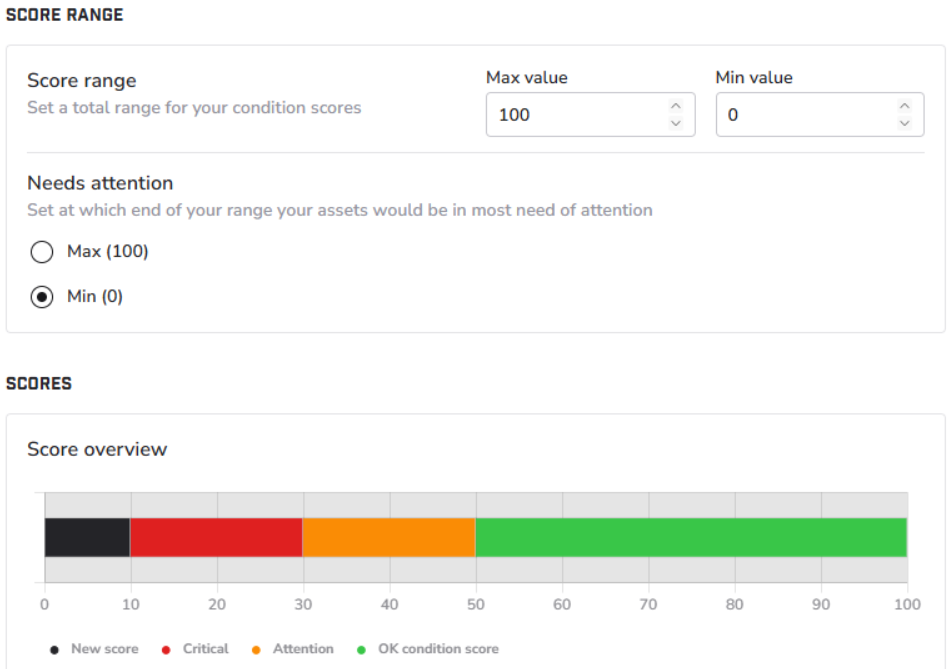
Figure 2.
A condition score is a numerical indicator that represents the overall condition of your assets based on completed and approved inspections. The scale for the score summary is preset from 0–100, this can be changed to specify a different number if desired.
When changing the scoring scale it will affect the whole organization. If the range or conditions are changed it will only affect new data. To affect older inspections it must be opened for editing and re-approved.
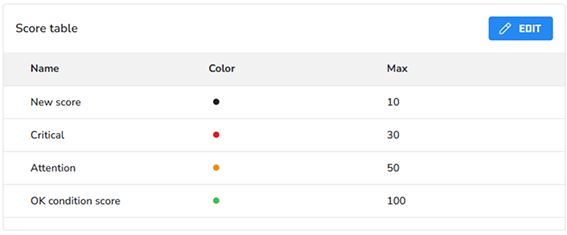
Figure 3.
To make changes in the Score table, click EDIT.
Adding or removing a score from the Score table only affects new inspections. Assets scored from inspections made before the edit will be mapped to the old score.