Camera placement guidelines
Detection performance depends on placing the detector so that the smallest hot spot of interest is resolved with rated accuracy and the protected area falls within the field of view. Mounting height and angle shall be determined from the detection distance and field-of-view coverage for the selected lens, rather than from fixed height or angle values, because coverage is a function of lens FOV, target size, and distance.
Detection distance and D:D ratio
The detector measures temperature within its rated accuracy (±2°C or ±2%) when the hot spot fills at least 3 × 3 pixels on the sensor. The detector can alarm on a single pixel, but the temperature reading may fall outside the rated accuracy.
The distance-to-size (D:D) ratio relates the maximum measurement distance to hot-spot size: maximum distance = D:D ratio × hot-spot size. Select the lens and working distance so that the smallest hot spot of interest fills at least 3 × 3 pixels.
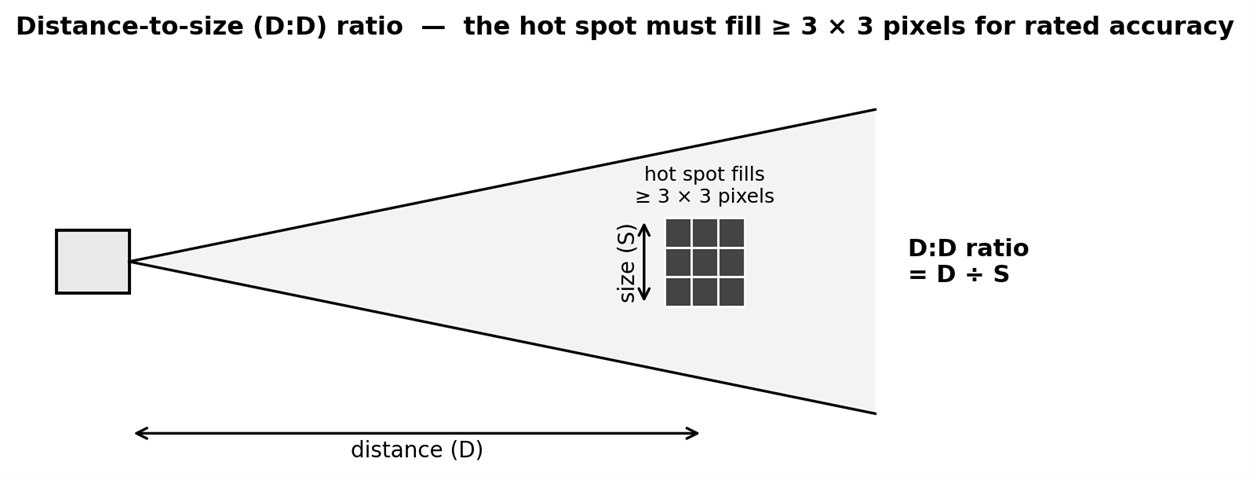
Figure 1.
The table below gives the maximum distance for rated measurement accuracy (3 × 3 pixels) for the A70 (640 × 480) at two lens options. For other Axx lens options, and for any specific camera, lens, and hot-spot size, use the Flir FOV calculator at support.flir.com/fov-Aseries/.
|
Lens FOV |
D:D ratio (approx.) |
10 cm (3.94 in) hot spot |
30.48 cm (1ft) hot spot |
1 m (3.28 ft) hot spot |
|
95° |
100:1 |
10 m (32.8 ft) |
30.48 m (100 ft) |
100 m (328 ft) |
|
51° |
190:1 |
16 m (62.3 ft) |
57.9 m (190 ft) |
190 m (623 ft) |
Distances assume correct emissivity settings and the target in focus. Confirm against the FOV calculator for the specific lens and target size.
Mounting geometry and aiming
Use the following geometry to position and aim the detector. Confirm coverage with the FOV calculator and the detector live image before locking the mount.
Provide a clear, unobstructed line of sight from the detector to the full protected area.
Select the mounting height 3.5 m to 8 m (12 ft to 25 ft) and downtilt so the protected area falls within the detector vertical and horizontal field of view at the working distance. Coverage widens with distance, so the height and downtilt that work at one standoff will not necessarily work at another.
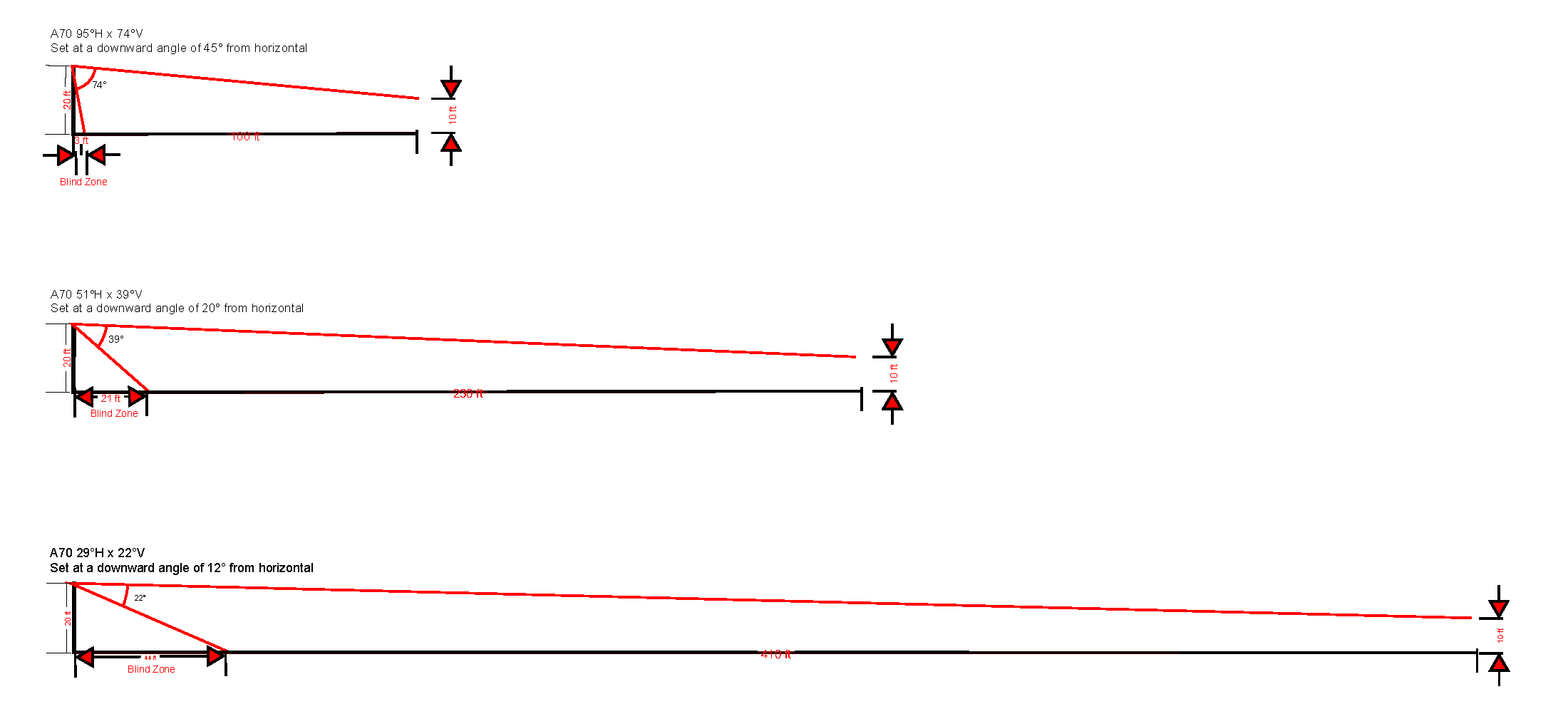
Figure 2. Mounting height and field-of-view coverage. The distances are for model A70.
View the target as close to perpendicular as practical. Apparent emissivity and temperature accuracy decrease at oblique (grazing) viewing angles. Where practical, keep the angle of incidence within approximately 45° of the target surface normal.
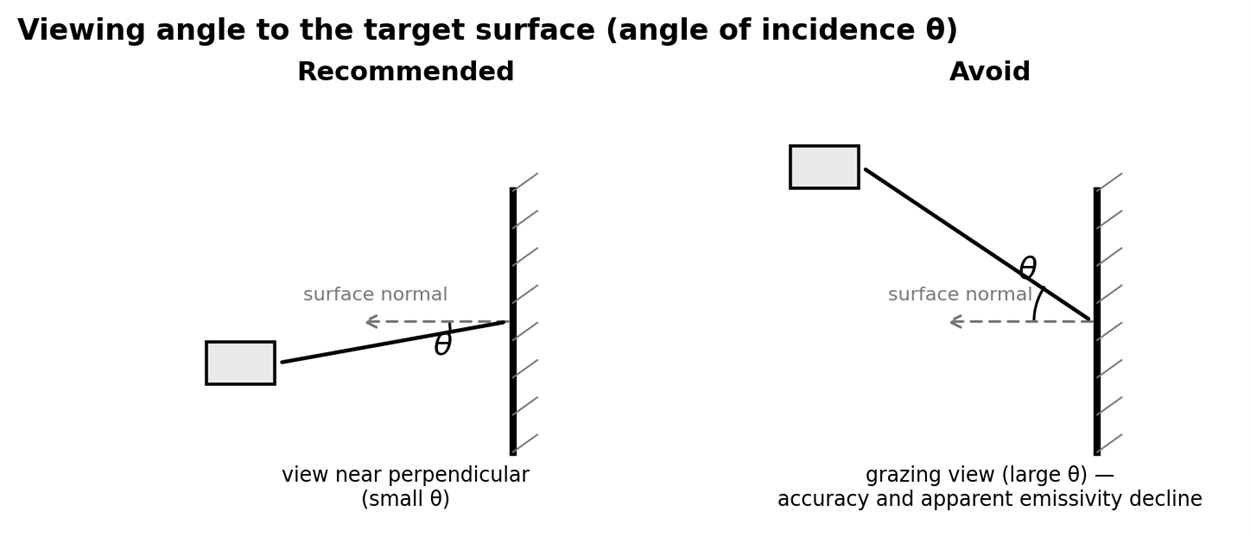
Figure 3. Viewing angle to the target surface (angle of incidence).
We recommend a viewing angle of up to 45° from horizontal and avoiding viewing angles greater than 60° to reduce the effects of directional emissivity.
Mount the detector on an aluminum bracket or heat sink to aid thermal management and minimize infrared detector drift.
After aiming, lock the mount and confirm the field of view does not shift. For installations with limited mount adjustability, confirm coverage before final fastening, as re-aiming may require partial disassembly.
For outdoor or high-solar installations, fit the sunshield to reduce solar load and help keep the detector within its operating temperature range, see section Sunshield.
Do not point the infrared lens at the sun or other strong energy sources. This can reduce accuracy and damage the detector.